

Configuring Plugin Access & Visibility
You can configure which user roles can access the logs and plugin settings via the Security & Visibility tab in the Logtastic plugin’s settings interface.
Take a look at the video overview for a quick introduction to the options available, or keeping reading for further details.
Video Overview
…video coming soon…
Configuring Plugin Access & Visibility
In the free version of the logtastic plugin, access and visibility is controlled by user role, with one simple option determining which user roles are able to access the logs and plugin settings.
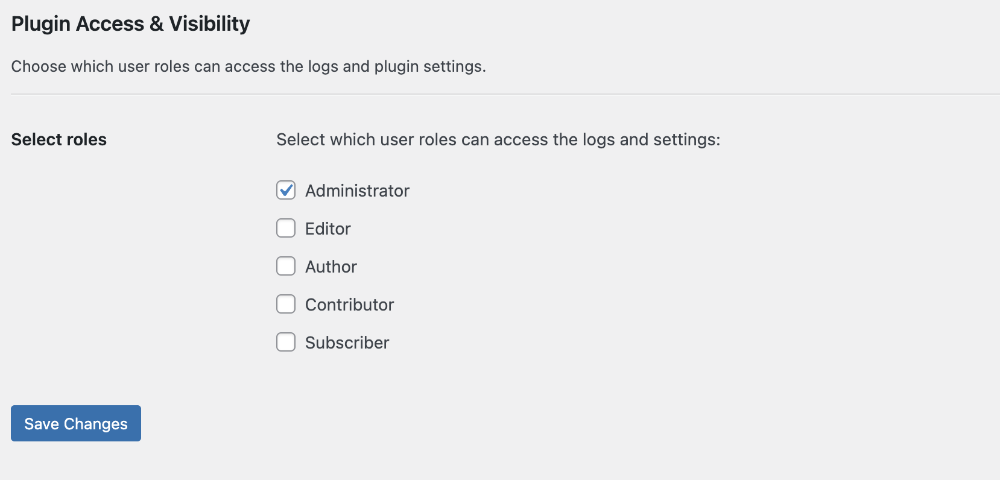
Simply select which roles you want to be able to access the logs and plugin settings from the list of available options. Users who do not belong to one of the selected roles will not be able to see the Logtastic plugin in the WordPress admin menu, or access any of the plugin’s admin pages.
More granular security and visibility settings will be available in the pro version of the plugin, including:
- Configure access settings individually for each log and plugin settings.
- For each log, configure which users can access the log, as well as which users can edit or delete items.
- Define access by user role and/or grant access to individual users.
- Hide Logtastic from the plugins list for users without access.
